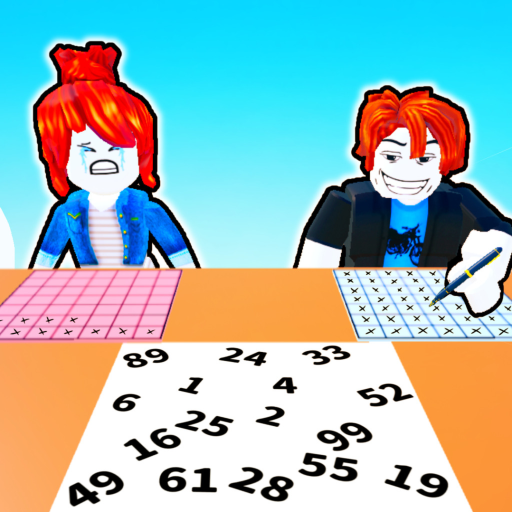
FindAndMark
Beginner guide

How to Play Find and Mark! on Roblox

Learn the choose, find, mark, and switch-turn loop, how a match ends, common beginner mistakes, stuck-state fixes, and the best next steps.

Checked July 17, 2026Independent guide
Quick answer

The short version

Find and Mark! is a two-player race. One player chooses a number. The other searches for it while the chooser places X marks on their own page. After the turn, the roles switch. Keep repeating the loop; the first player to fill their page wins.

Step-by-step

A repeatable match routine

  1. 1

    Know which role you have

    At the start of a turn, identify whether you are choosing and marking or finding. The chooser selects the number the opponent must locate, then uses the opponent's search time to place X marks. The finder ignores marking and concentrates on locating the called number.

    Try this: Say the role to yourself before the turn starts: Finder or Marker. That small reset prevents you from beginning the wrong action.

  2. 2

    Choose or listen for the number

    If you are the chooser, select the number through the game interface. If you are the finder, make sure you know the exact called number before moving your view. The public description does not identify a universal best number, so do not waste time looking for a secret guaranteed pick.

    Try this: When finding, repeat the number once and keep it fixed in your head while you scan.

  3. 3

    Find with a fixed scan path

    Start at one edge or corner and move in a consistent row, column, or zone order. Do not jump randomly between distant parts of the page. A fixed route reduces duplicate checks and gives you a clear place to resume if your eyes lose the target.

    Try this: Use the same starting edge each turn until the pattern feels automatic.

  4. 4

    Mark in short, controlled bursts

    As the chooser, place X marks quickly but avoid frantic movement that makes you lose your position. Finish a small local area, anchor where you stopped, and continue from that point on your next marking opportunity. Input feel can differ by device, so favor control over a risky speed spike.

    Try this: A clean sequence you can repeat is more useful than one unusually fast turn followed by a mistake.

  5. 5

    Switch roles and race to fill the page

    When the game ends the turn, swap jobs: the previous finder becomes the chooser and marker, while the previous chooser searches. Repeat the loop until one page is filled. Roblox's official description states that the first player to fill their page wins.

    Try this: Use the pause between turns to reset your eyes and remember the last marked zone.

If you're stuck

Common mistakes and fixes

Random scanning

Jumping around the page feels fast but causes repeat checks. Return to a fixed sweep from one edge and move through adjacent areas.

Forgetting the called number

If you start moving before fixing the number in memory, you may scan without a clear target. Pause for a fraction of a second and repeat it once.

Losing your marking position

Large cursor jumps make it hard to resume. Work in short local runs and remember the last row or zone you touched.

Assuming a hidden board rule

The checked official sources do not state a fixed board size or number range. Use what is visible in your own match and avoid guides that present unsupported values as official.

FAQ

Questions players ask

What do you do in Find and Mark!?

One player chooses a number and marks Xs while the other player finds that number. The players switch roles after the turn.

How do you win Find and Mark!?

According to the official Roblox description, the first player to fill their page wins.

What is the official board size?

No fixed board size was found in the checked public official sources. Use the page shown in your own match.

Is there a best number to choose?

No universal best number or official number range was verified. Treat number-selection tips as player advice, not a guaranteed rule.

Next

Keep improving